

Flashing alarms, speakers and a visual logic editor for facilities, labs, bases and security rooms.
Requires Asterion Logic, which adds the Logic tab to the Asterion Controller.


Alarms and speakers
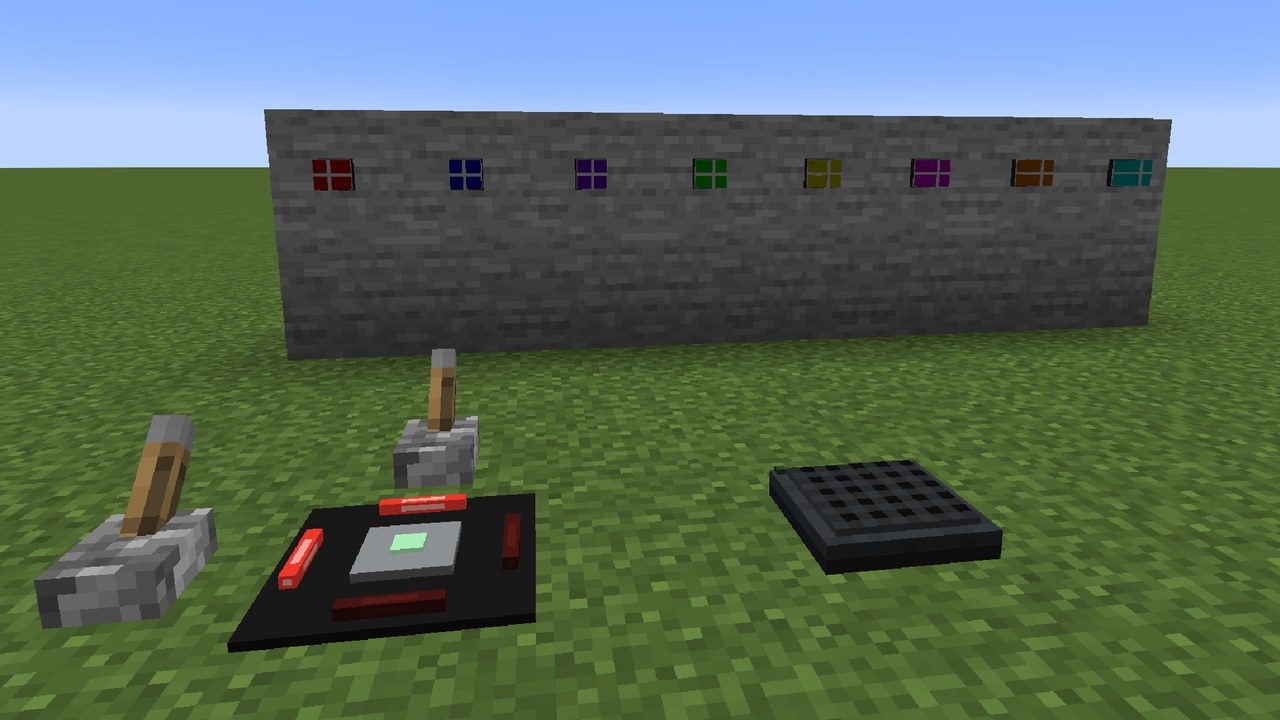
- Alarms in 8 colors that flash and play sound
- Speaker for announcements, intercoms and looping sounds, with no light
- Upload your own sounds: MP3 or WAV, up to 30 seconds
- Built-in alarm sounds included
Fine control
- Adjustable volume (0–100%), hearing range (8–500 blocks) and flash speed (0–5, where 0 = solid on)
- Loop on or off: repeat while powered, or play once per redstone signal
- Group alarms and speakers by name: a controller drives every one of yours sharing its name in the dimension, however far apart they are
- Owner-only names: other players can't trigger, silence or change your alarms by reusing a name, and your team can share them
Controller and logic
- Asterion Controller with a visual logic editor (from Asterion Logic): script what each side does with drag-and-drop blocks
- Side lamps on the controller show which side is receiving redstone
- Save and load your logic, private to you
- Perfect for SCP facilities, labs, military bases and security rooms

Place an Alarm or Speaker and give it a name. Place an Asterion Controller, type that same name on its Setup page, and power it with redstone. Every linked alarm flashes and plays your chosen sound in sync, and every linked speaker plays it.
To name a placed alarm or speaker, right-click it. To name one before placing it, hold it and Shift + Right-Click; it keeps the name when you place it. Several controllers can share a name, for example one at each entrance.
Owner-only names
Alarms, speakers and controllers remember who placed them. A controller only drives alarms and speakers placed by the same player, so two players can both use a name like lobby without affecting each other. Only the owner can open a block's settings.
- Building together: players on the same scoreboard team (
/team) count as one owner and share each other's alarms and controllers. - Operators can open and change any block.
- Older blocks: alarms, speakers and controllers placed before 1.4.0 have no owner and stay shared until they're broken and placed again.
- Turning it off: run
/gamerule asterionAlarmsOwnerOnly falseto go back to names linking every block in the dimension.
Custom sounds
On the controller's Setup page, click Upload and pick an MP3 or WAV file (up to 30 seconds and 5 MB). The sound uploads to the server, is shared with everyone on the world or server, and appears in every controller's sound list. Players joining later download only the sounds they don't have yet.
Only the player who uploaded a sound, or an operator, can replace it. Server owners can set who may upload, how many sounds the server keeps and the wait between uploads in asterionalarms-common.toml.
Speakers
A Speaker plays the same sounds as an alarm, without the light. With Loop on, the sound repeats while the controller is powered and stops when the power is cut. With Loop off, it plays once per signal and finishes even after the signal ends, so one button press plays a whole announcement. Players who log in or walk into range while a loop is playing hear it too.

The Logic tab comes from Asterion Logic, with Asterion Alarms' sound, alarm and light blocks in it. It shows the controller as a frame with four side ports: left, top, right and bottom. A port lights red while redstone reaches that side, and so does a lamp on that edge of the block. Click a port to open its graph:
- Drag a wire out of a block's white dot and let go to search for the next block.
- Click a block to edit its settings, such as which sound to play, loop on or off, or how many seconds to wait.
- Right-click a block, or press Delete, to remove it.
Available blocks
| Category | Blocks |
|---|---|
| Events | When signal turns on, when signal turns off, while signal is on |
| Sound | Play sound (pick or upload a sound, loop or once), set volume, set hearing range, set loop |
| Alarms and light | Turn alarms on, turn alarms off, set flash speed, sync flashes to sound |
| Flow | Wait (seconds), repeat (N times), if signal is on (branch on a side's live signal), wait for a signal on another side, stop other sides, reset to setup settings |
Use Sync flashes to sound with an uploaded WAV or MP3 and set the number of flashes per playback. For example, two flashes across a four-second clip give you one flash every two seconds. Set flash speed switches back to manual timing.
With the screen open you can watch it run: lights travel along the wires, the running block is outlined, and waits fill a progress bar.
Each side runs on its own. If two sides change the same setting, the block that ran last wins; use Stop other sides to give one side priority. Ctrl+Z and Ctrl+Y undo and redo, Reset restores the default template (signal on turns the alarms on, signal off turns them off), Clear removes everything but the signal blocks, and the mouse wheel zooms.
Save stores a side's logic under a name and Load puts it on any side of any controller, like structure-block saves. Saves are kept per player on the server, so you only see your own, and they survive the controller being broken.
Controllers placed with older versions keep their name, sound settings and logic. Ones from before 1.2.0 keep working as before: any powered side turns the alarms on, until you edit one of their sides.


Install Colorful Lighting to make active alarms give off colored light matching the alarm color.

- Redstone Pen for clean redstone wiring to your controllers
- EMI or JEI to look up the crafting recipes

| Minecraft | Forge | NeoForge |
|---|---|---|
| 1.20.1 | ✔ | ✔ |
| 1.21.1 | ✔ | ✔ |
- Requires Asterion Logic 1.0.0 or newer
- Works in singleplayer and on dedicated servers
- Required on both client and server
- Optional support for Sound Physics Remastered
This is Asterion Studios' original work. Ripping, decompiling or re-uploading it, in any game or on any platform, isn't allowed, and copies are reported with copyright (DMCA) takedown notices. Copyright rule · Report a copy